
Recently, thousands of users suddenly noticed something strange. The AI assistant they relied on every day wasn’t responding. Prompts stopped working, Pages failed to load, APIs returned errors.
For thousands of freelancers, developers, and online business owners, one question quickly appeared:
“Is Claude AI down right now?”
For a short time, it actually was.
While outages like this usually get fixed quickly, the incident revealed something important that many of us rarely think about: what happens to our work and our income when the tools we depend on suddenly stop working?
If you’re a freelancer, blogger, online entrepreneur, or remote worker who uses AI tools regularly, this question matters more than ever.
In this article, we’ll break down what happened, why outages occur, and what we learned about the hidden financial risks of relying too heavily on AI tools.
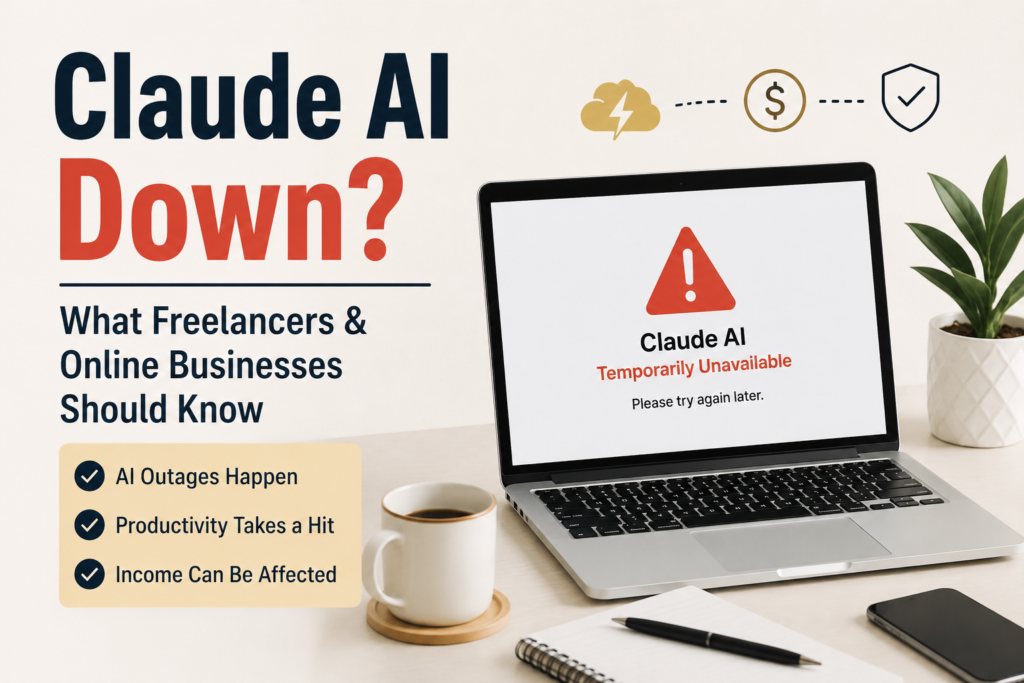
Table of Contents
What Happened When Claude AI Down
During the outage, users reported several issues:
- AI responses failing to load
- Error messages during prompts
- API disruptions for developers
- slow performance or connection failures
Platforms that track service disruptions also showed a spike in user reports within a short period.
For casual users, this was mostly an inconvenience.
But for people whose daily workflow depends on AI tools, the experience felt very different.
Some freelancers couldn’t complete projects.
Developers couldn’t run automation scripts.
Writers and researchers suddenly lost the assistant they rely on for brainstorming and editing.
The outage didn’t last forever. Like most cloud-based services, the issue was eventually fixed.
But for many of us, it raised a bigger question.
Have we become too dependent on AI tools for our work?
How AI Tools Became Part of Our Daily Income
Just a few years ago, artificial intelligence tools were experimental.
Today, they are part of everyday workflows.
Freelancers use AI to draft articles, generate ideas, and summarize research.
Developers rely on AI assistants to write and debug code.
Businesses automate customer service responses using AI chat systems.
Marketing teams use AI to generate content and campaign ideas.
For many people, these tools don’t just save time they help generate income.
In our own work, we’ve also noticed how quickly AI tools become integrated into daily routines.
We open them in the morning to brainstorm ideas.
We use them to organize research.
We rely on them to speed up repetitive tasks.
But when a tool becomes essential to productivity, something else happens.
Our workflow starts depending on something we don’t control.
The Hidden Financial Risk of AI Downtime
When an AI service stops working unexpectedly, the financial impact might not be obvious at first.
But the effects can show up quickly.
Here are a few ways outages can affect income.
Missed Deadlines
If a freelancer is in the middle of a tight project and finds Claude AI down, missing a submission deadline becomes a very real risk. If a tool suddenly becomes unavailable, finishing a project can take much longer than expected.
A delay of even a few hours can create problems when deadlines are tight.
Reduced Productivity
Many people rely on AI tools to speed up tasks like writing, research, or coding.
Without those tools, the same work may take two or three times longer.
That productivity gap can reduce how much work we complete in a day.
Client Frustration
Clients rarely care which tools we use.
They only care about results.
If a project is delayed because a tool stops working, the client experience may still suffer.
Over time, repeated delays can affect trust.
Business Interruptions
Some companies rely on AI integrations to power customer support, analytics, or internal systems.
When those services go offline, operations may slow down or stop completely.
Why AI Outages Are Actually Normal
It might feel surprising when a major AI service goes down.
But the reality is that outages are normal in modern cloud infrastructure.
AI platforms operate on extremely complex systems that involve:
| Infrastructure Component | What It Does | Why It Fails |
| Distributed Servers | Balance user traffic globally | Traffic spikes overload capacity |
| Machine Learning Models | Process complex AI prompts at scale | Server timeouts during compute-heavy tasks |
| Data Centers | Store and maintain backend code | Physical hardware or cloud network hiccups |
Even the largest technology platforms occasionally experience downtime.
What matters isn’t whether outages happen.
What matters is how prepared we are when they do.
Why Depending on One Tool Is Risky
When news hits that Claude AI is down, it exposes how fragile a single-tool setup can be. One lesson many professionals learned from recent outages is simple:
Relying on a single tool for everything can be risky.
If one service stops working, productivity may suddenly drop.
This doesn’t mean we should stop using AI tools.
They are incredibly powerful and helpful.
But it does mean we should build workflows that remain flexible.
Having alternatives available can make a big difference during unexpected downtime.
Smart Ways to Protect Your Workflow
After seeing how quickly outages can disrupt work, many freelancers and business owners are starting to rethink how they use AI tools.
Here are a few practical strategies that can help reduce risk.
Use Backup Tools
Instead of relying solely on Claude, diversify your toolkit by testing alternatives like OpenAI’s ChatGPT, Google Gemini, or Microsoft Copilot. If one goes down, you can instantly pivot without losing a step.
Different tools may offer similar features, and having options available can help maintain productivity when one service experiences issues.
Save Important Work Offline
Sometimes people rely entirely on cloud tools without saving backups.
Keeping local copies of important documents or research can prevent work from being lost if services become temporarily unavailable.
Build Manual Skills
AI tools can speed up many tasks, but it’s still important to maintain the ability to complete work manually when necessary.
Being able to write, research, analyze data, or code without AI assistance ensures work can continue even during outages.
Diversify Income Streams
For freelancers and online entrepreneurs, relying on a single platform or workflow can increase risk.
Diversifying income sources helps create financial stability when one system temporarily fails.
What This Means for the Future of Work
Artificial intelligence will continue to transform how we work.
Productivity tools powered by AI are becoming more powerful each year, helping individuals and businesses accomplish tasks faster than ever before.
But the lesson from recent outages is clear.
Technology can improve our work but it should never become the only foundation of our workflow.
Instead of replacing human thinking entirely, the most successful professionals are learning to combine AI tools with their own skills and creativity.
That balance creates resilience.
And resilience is one of the most valuable assets in any career.
Final Thoughts
The brief moment when users started asking “Is Claude AI down?” may seem like a small event in the larger world of technology.
But it highlighted an important reality of modern work.
Many of us now depend on tools that operate on global cloud infrastructure systems that occasionally experience interruptions.
Rather than seeing this as a problem, we can treat it as a reminder.
AI tools are powerful assistants.
They can help us write faster, build faster, and create faster.
But the real value still comes from the people using them.
When we combine technology with adaptability, smart planning, and diversified skills, we build workflows that remain strong even when tools occasionally fail.
And in the long run, that approach doesn’t just protect productivity.
It protects our income too.
What do you think?
Have you ever experienced an AI tool outage while working?
Did it affect your productivity or income?
Share your experience in the comments.
We’d love to hear how you manage your workflow when technology fails.